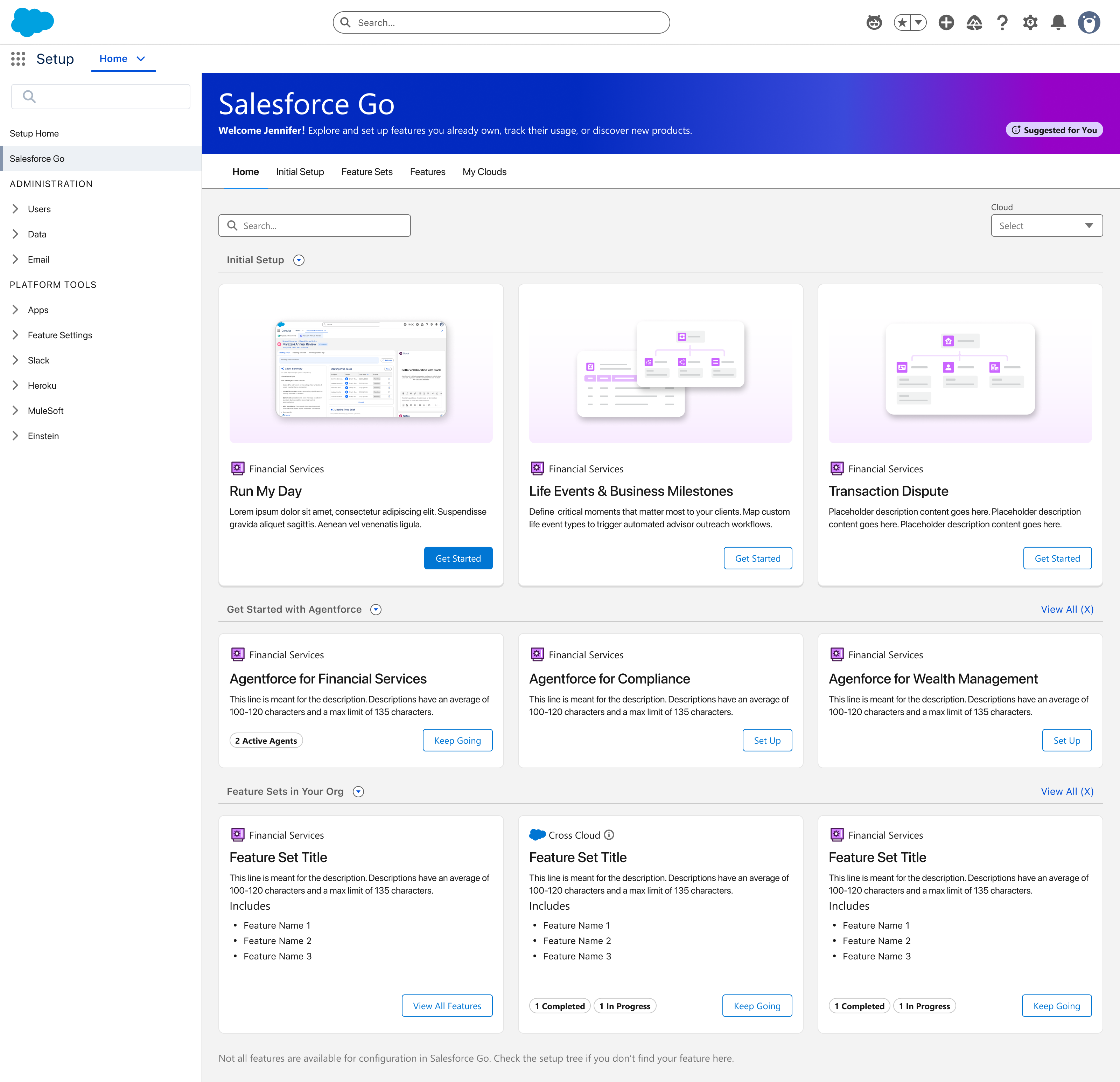
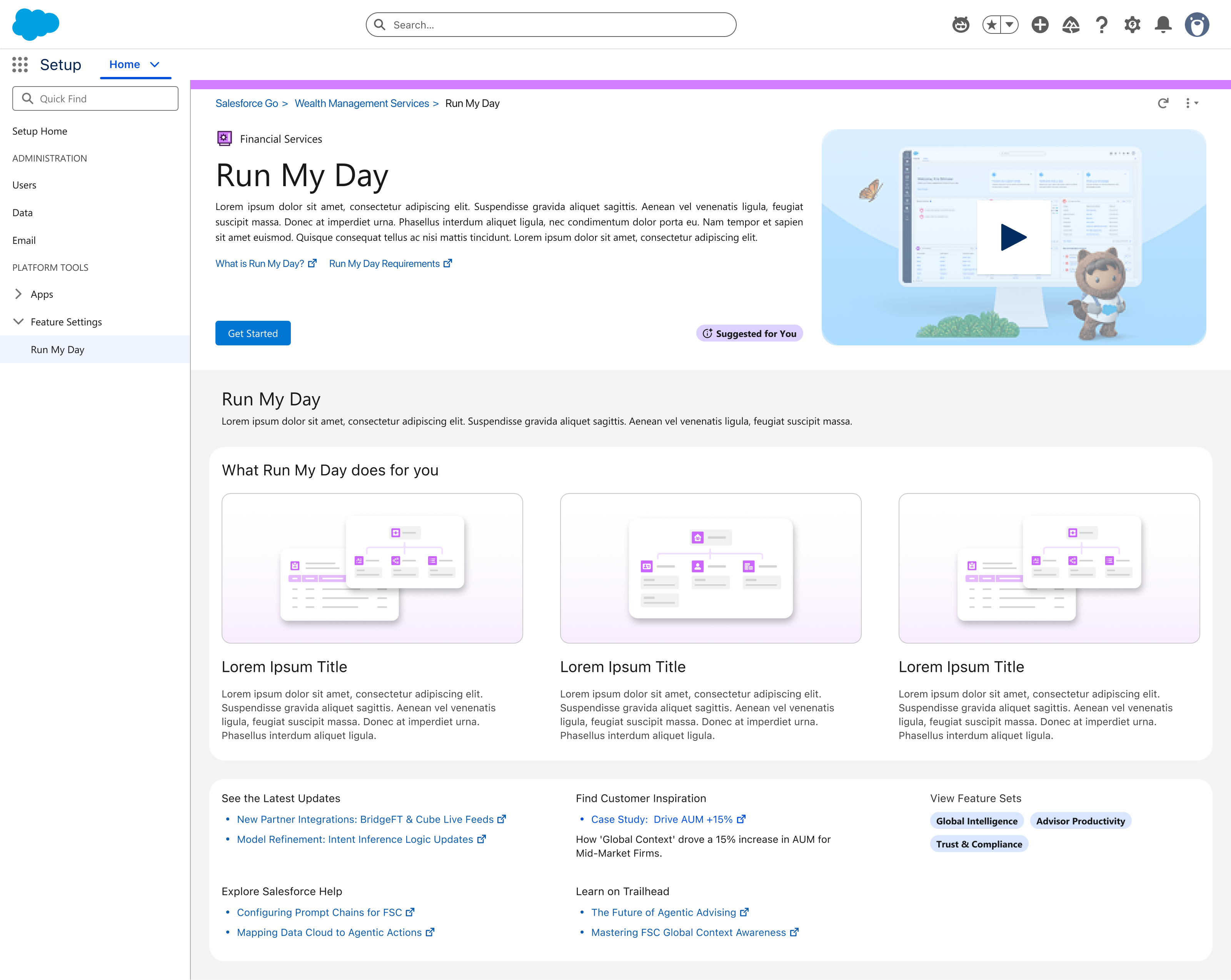
Self-service admin configuration — 3-step wizard, visual builder, under 30 minutes.
Setup required a Professional Services engagement — weeks of lead time. Admins couldn't see the structure they were building until it was live. No way to reuse existing groups or insights across playbooks. Activation had no preflight — errors discovered post-deploy.
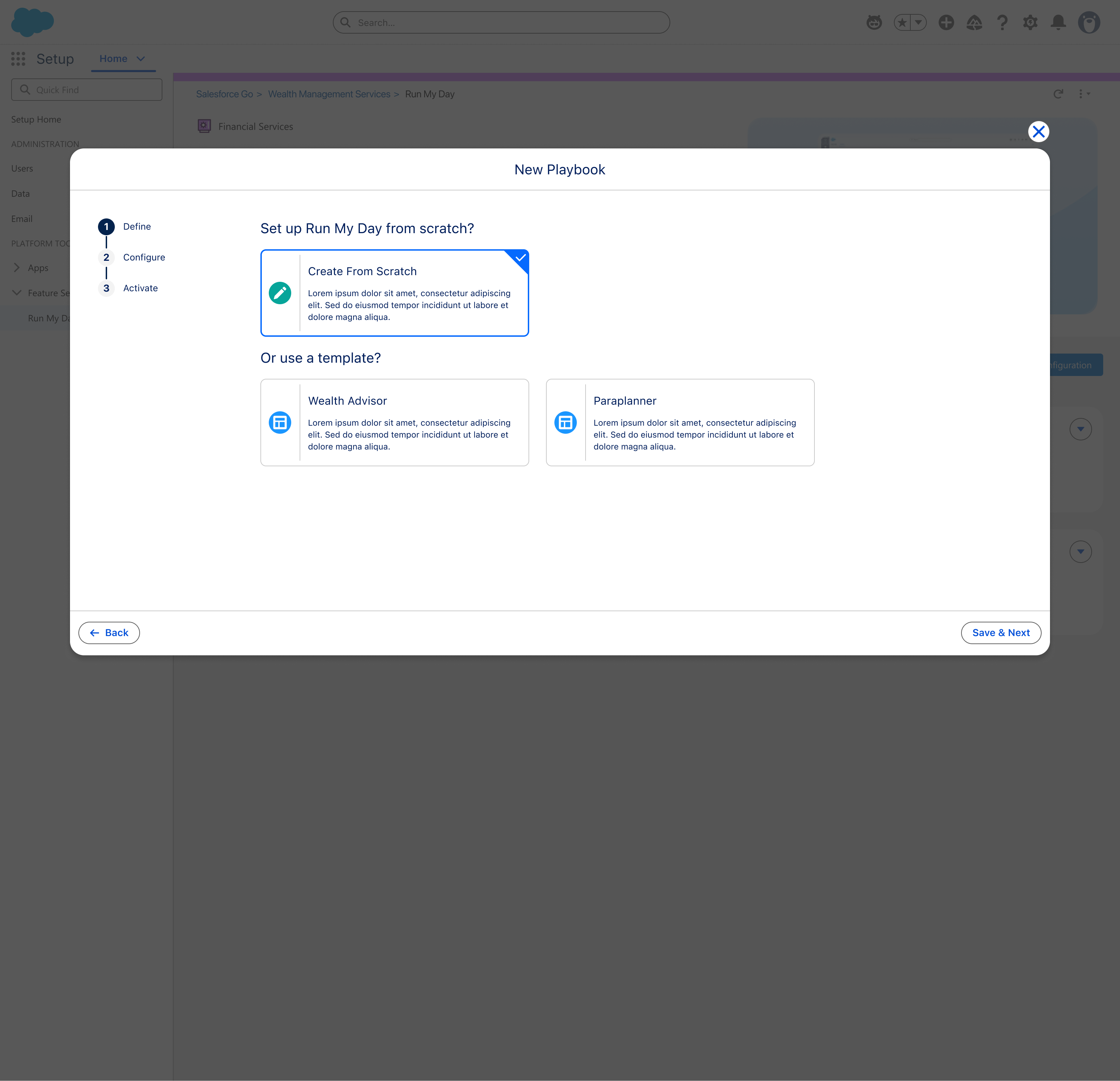
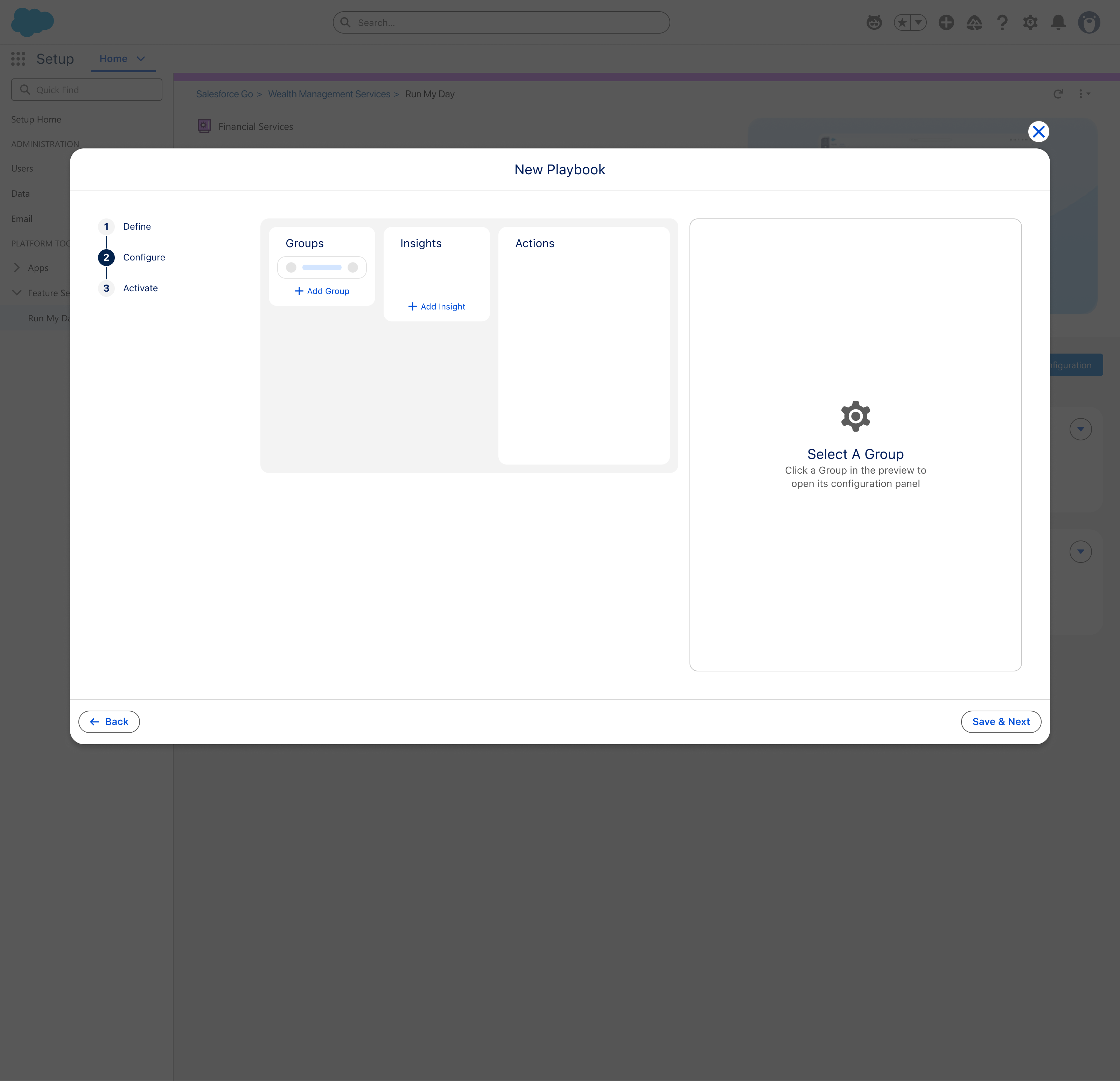
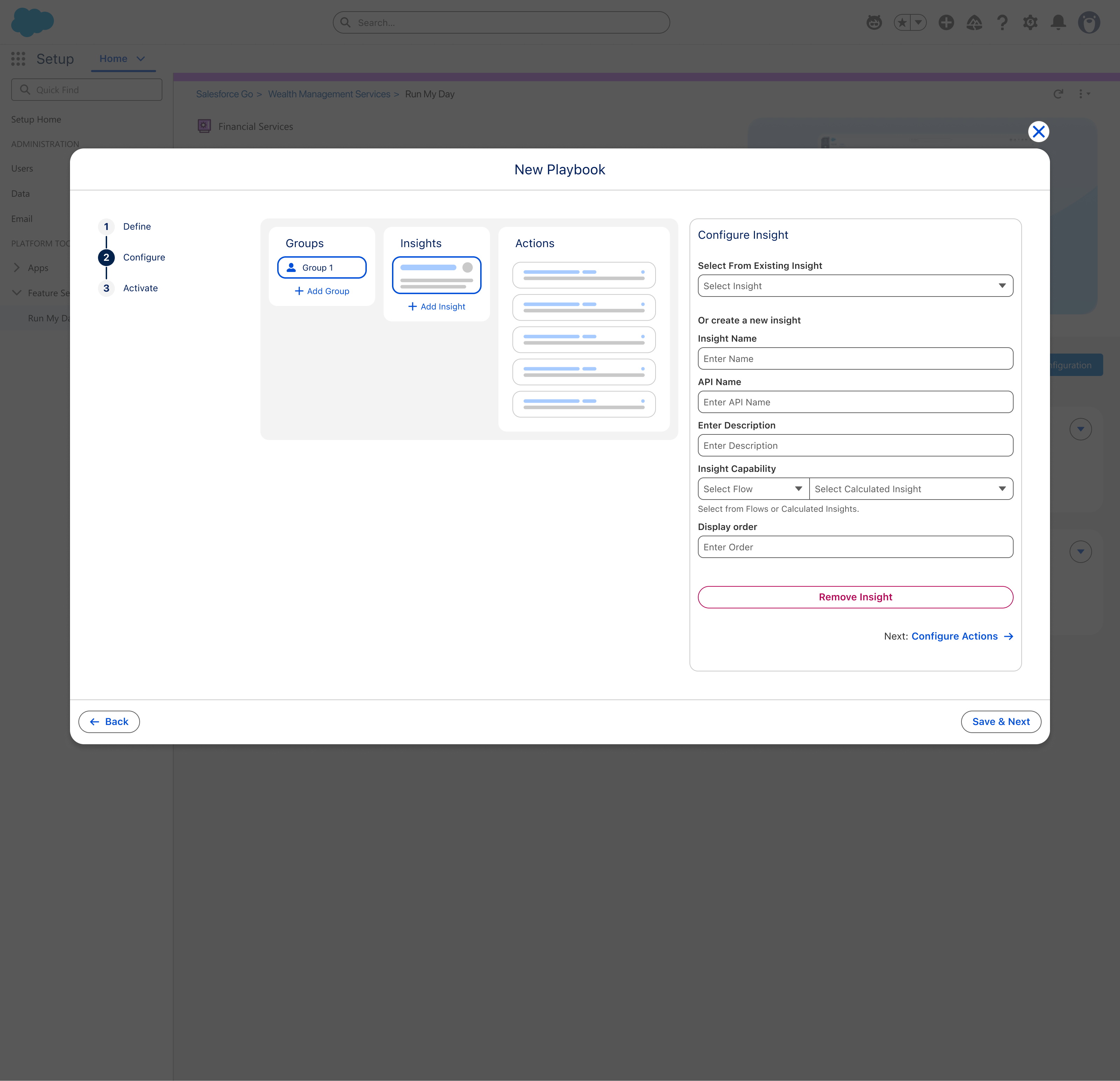
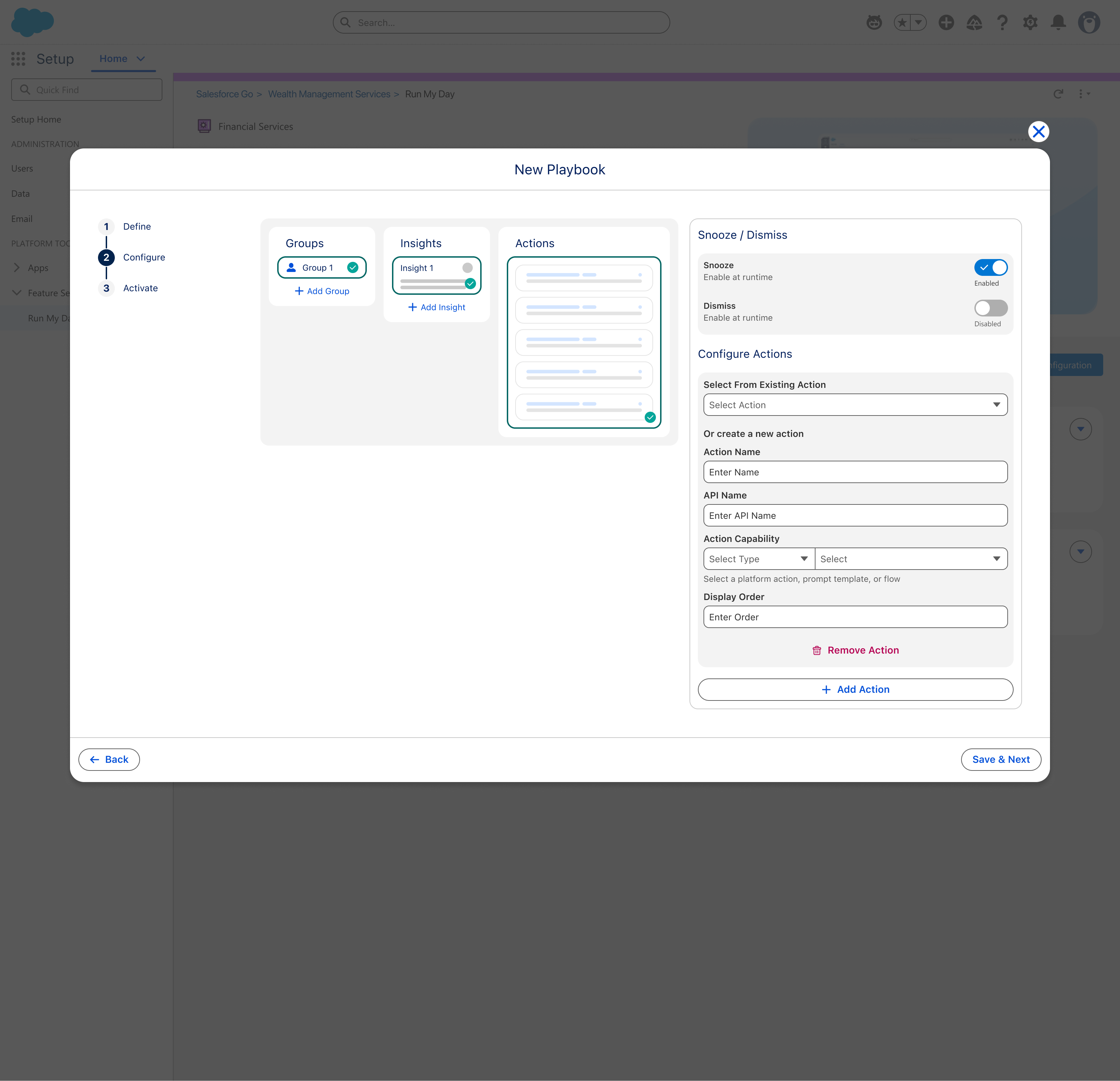
Define, Configure, Activate. Admins see the structure they're building in real time — Groups, Insights, and Actions as spatial columns. Template path for speed, Custom path for control. Role-based playbooks from the same platform.
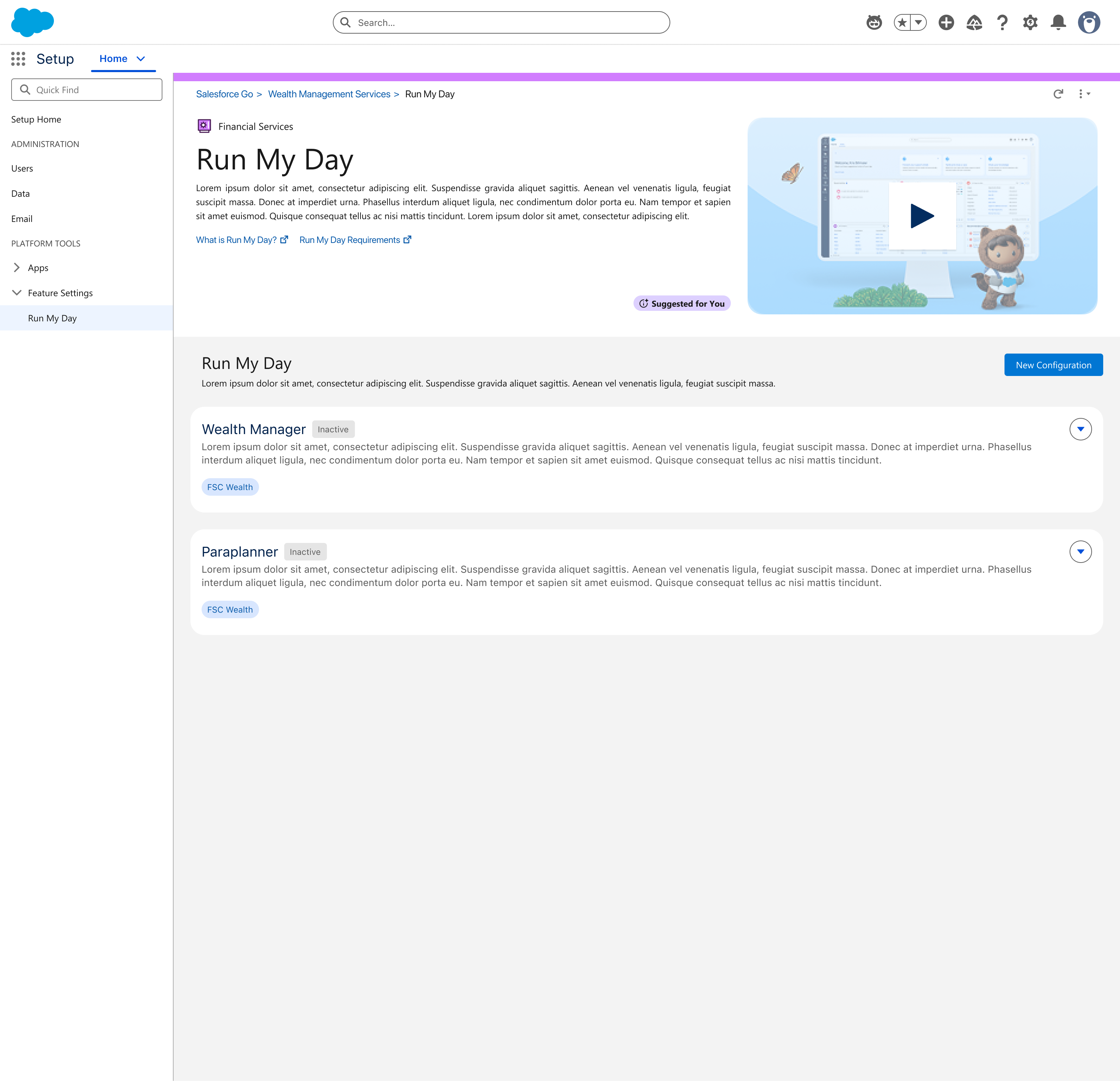
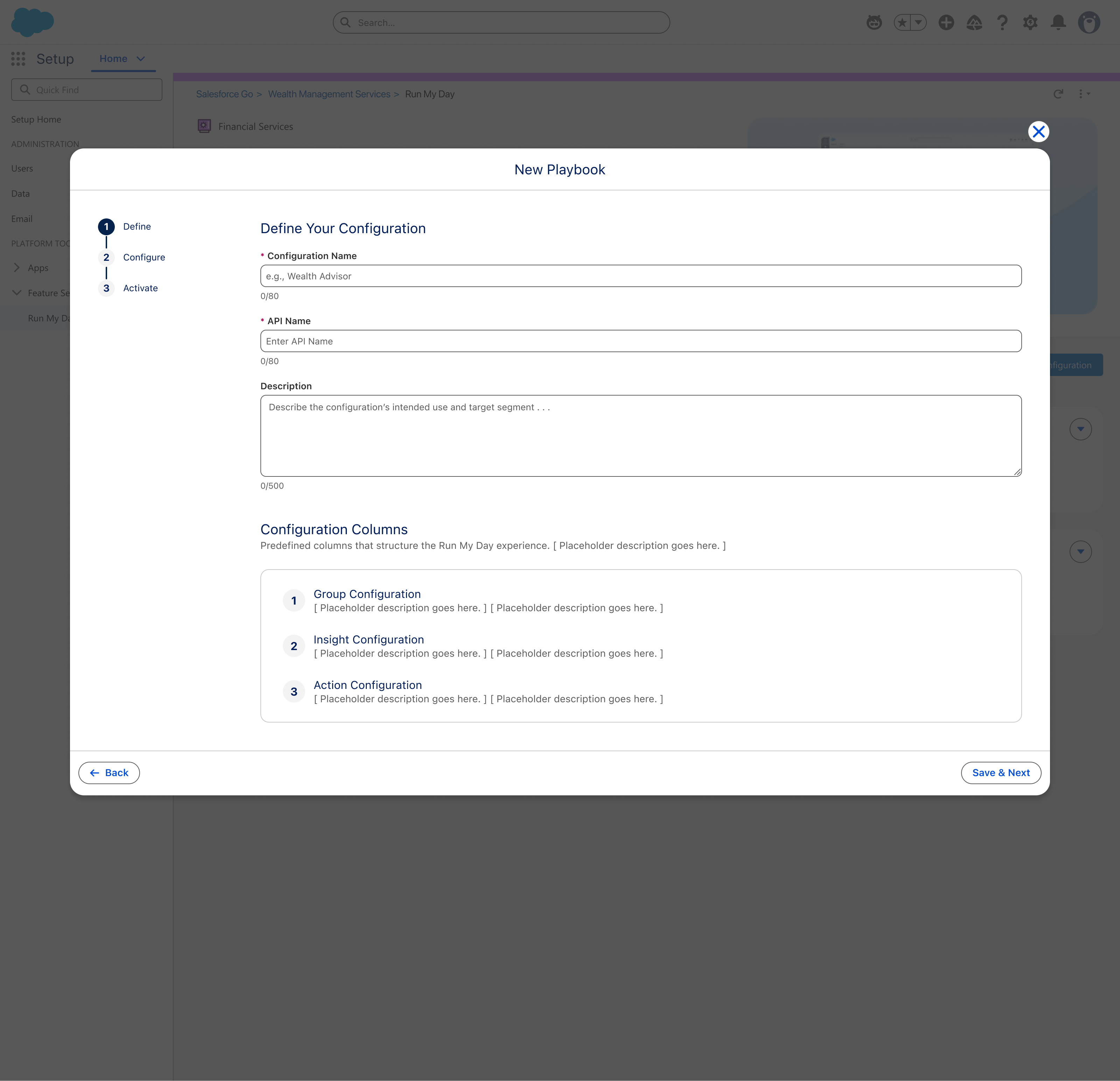
Configuration name, description, columns. Create from scratch or start with a role-based template (Wealth Advisor, Paraplanner).
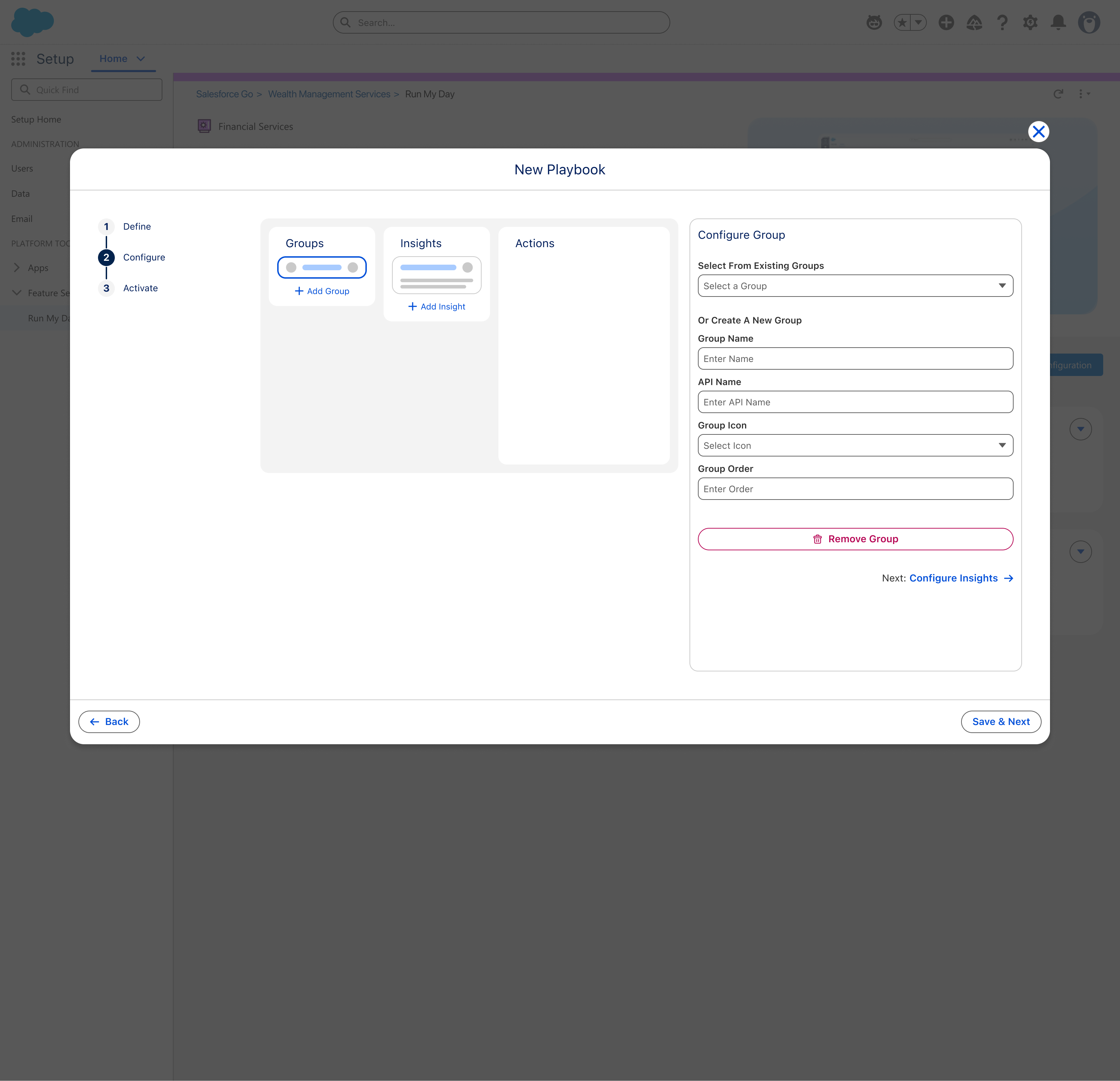
Groups, Insights, and Actions as spatial columns. Select existing or create new. Progressive validation with green checks.
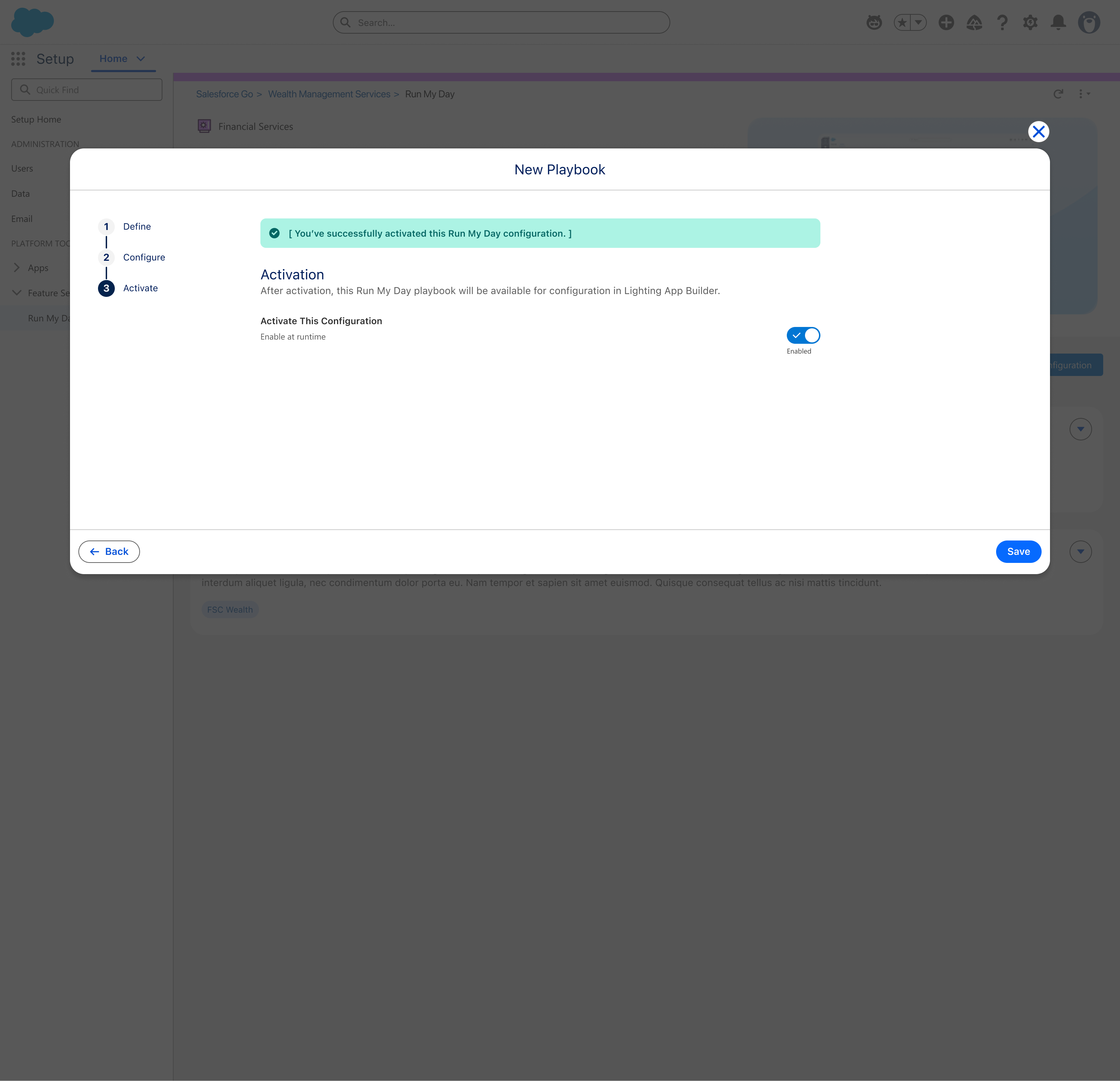
Preflight checks, one-toggle activation, immediate availability in Lightning App Builder. Error recovery built in.
From start to active playbook — no Pro Services required
Admins build what they need without engineering support
Template for speed, Custom for control
9 checks prevent post-deploy failures
Existing groups/insights reusable across playbooks
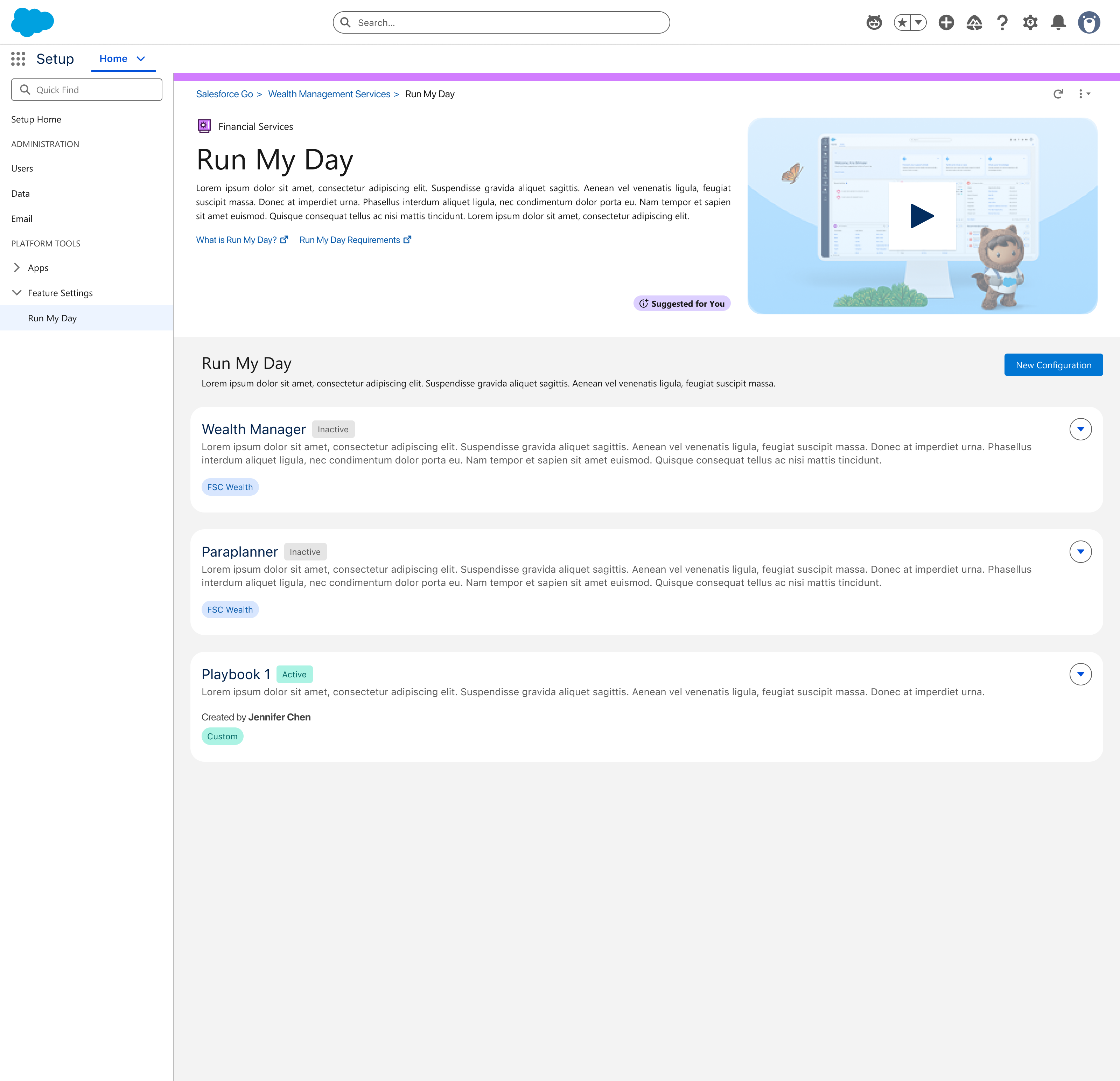
Same platform powers Wealth Manager, Paraplanner, and custom roles